Start with the devices you want to charge
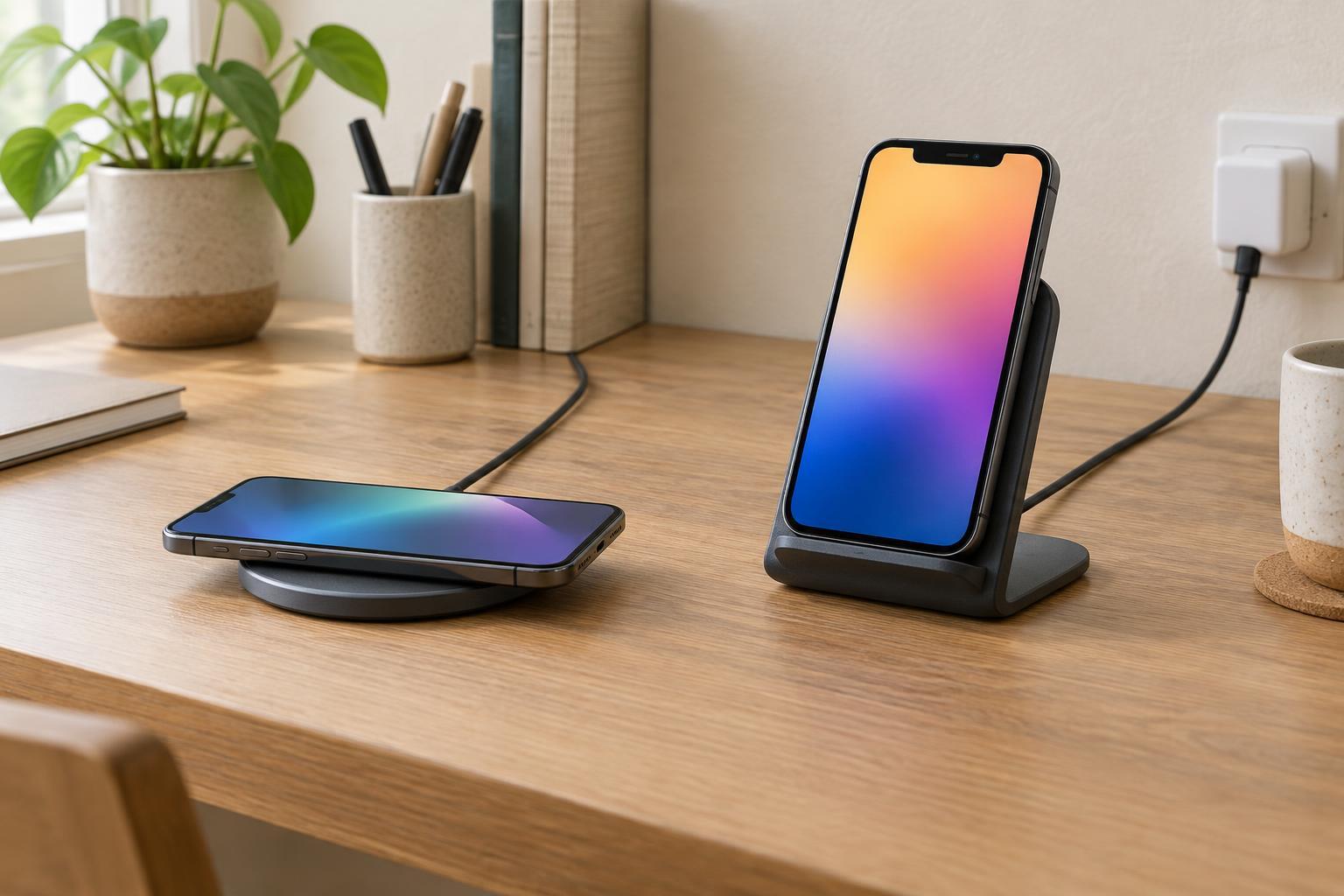
A wireless charging pad lies flat; a stand holds a device upright or at an angle. Neither shape guarantees compatibility. Before choosing one, check whether your phone supports wireless charging and which standard or magnetic system it uses. Also check the charger’s stated device support, rather than relying on a product photo showing a phone that looks like yours.
A charger may offer magnetic attachment for phones with compatible built-in magnets or cases. Some nonmagnetic phones can charge on a magnetic charger if their charging coils line up, but they may not attach securely. Earbud cases may charge on some phone pads, though their smaller size can make placement awkward. Smartwatches often need a charger made specifically for their model or charging system; a general-purpose phone pad should not be assumed to work.
If you want to charge more than one device, check each charging spot separately. A two-device charger, for example, might have one area for a phone and another designed only for earbuds. Shape and available space are useful clues, but the compatibility list is the deciding detail.
Think about how easily the coils line up
Wireless charging depends on the charging coils in the device and charger being close enough and properly positioned. On a flat pad, you can usually move a phone until charging begins, but it is also easy to nudge it out of place when reaching across a table. A pad with a clear placement mark can help. Magnetic alignment can make positioning more repeatable when the phone, case and charger are compatible.
A stand can simplify placement if its charging area matches your phone’s size and coil position: set the phone down, and it rests in roughly the same place each time. That is less certain with unusually small or large phones, thick cases, or stands that expect a particular orientation. If you often charge in landscape mode, confirm that the stand supports it. A stand that charges reliably in portrait may not do so when the phone is turned sideways.
Whether you choose a pad or stand, check that charging actually starts before walking away. If charging repeatedly stops and restarts, try removing a thick case, repositioning the device or checking for accessories that sit between the phone and charger. Do not place loose metal objects on a charging surface.
Match the shape to the place you use it
A pad suits a bedside table if you prefer the screen to lie out of view, or a shared surface where different people place different compatible devices. Its low profile also makes it easy to slide into a bag. The trade-off is that you may need to pick up the phone to read a notification or adjust its position after setting it down.
A stand is useful on a desk, kitchen counter or other spot where you want to see the screen without lifting the phone. It can keep a video call, timer or recipe within view while the phone charges. Stands may take up less tabletop area than a wide pad, but they need vertical clearance and a stable base. If you tap the screen frequently, a lightweight stand may wobble.
Neither format is ideal in every room. Consider the cable route and outlet location as well as the charger itself. A neatly placed charger is more useful than one whose cable crosses a workspace or forces the phone into an inconvenient corner.
Check the complete charging setup
Advertised charging power is not a promise of the speed you will get. The phone, charger, cable and power adapter must support the relevant charging mode, and devices may reduce power as they warm up or approach full charge. Check whether the required adapter is included and whether the charger needs a particular adapter output. Otherwise, a charger that looks inexpensive may require an additional purchase.
Cases can affect fit as well as alignment. A slim compatible case is generally easier to work with than a thick case with a built-in grip, wallet or metal plate. If you rely on one of those accessories, check the charger and case guidance before buying. Also leave the charger where air can circulate rather than covering it with bedding or papers.
A simple way to decide
Choose a pad if you want a low-profile charger for a bedside table, travel bag or shared charging spot, and you do not need to view the screen while charging. Choose a stand if you regularly use your phone at a desk or counter and can find one that supports your phone’s size, orientation and charging system. If alignment is your main frustration, compatible magnetic attachment may matter more than whether the charger is flat or upright.
Before buying, make a short checklist: your exact device models, any cases you use, the desired viewing orientation, the available surface space and the included power accessories. Those details are more dependable guides than a charger’s shape or its headline wattage alone.