Start with the action you want to detect
Before mounting a sensor, describe the event that should start the automation. “Turn on the hallway light when someone enters from the bedroom” is more useful than “detect motion in the hallway.” It tells you which doorway matters, where a person will first appear and whether movement elsewhere should count. For a contact sensor, decide whether you need to know that a door has opened, that it remains open or that it has closed again.
Also consider what should happen when detection stops. Motion sensors often report a period of inactivity rather than the instant a person leaves. A light that switches off too quickly can be irritating if someone sits still in the room. Contact sensors are better suited to a clear open-or-closed state, such as a closet door, but they cannot tell whether anyone is inside.
Place motion sensors where people cross the view
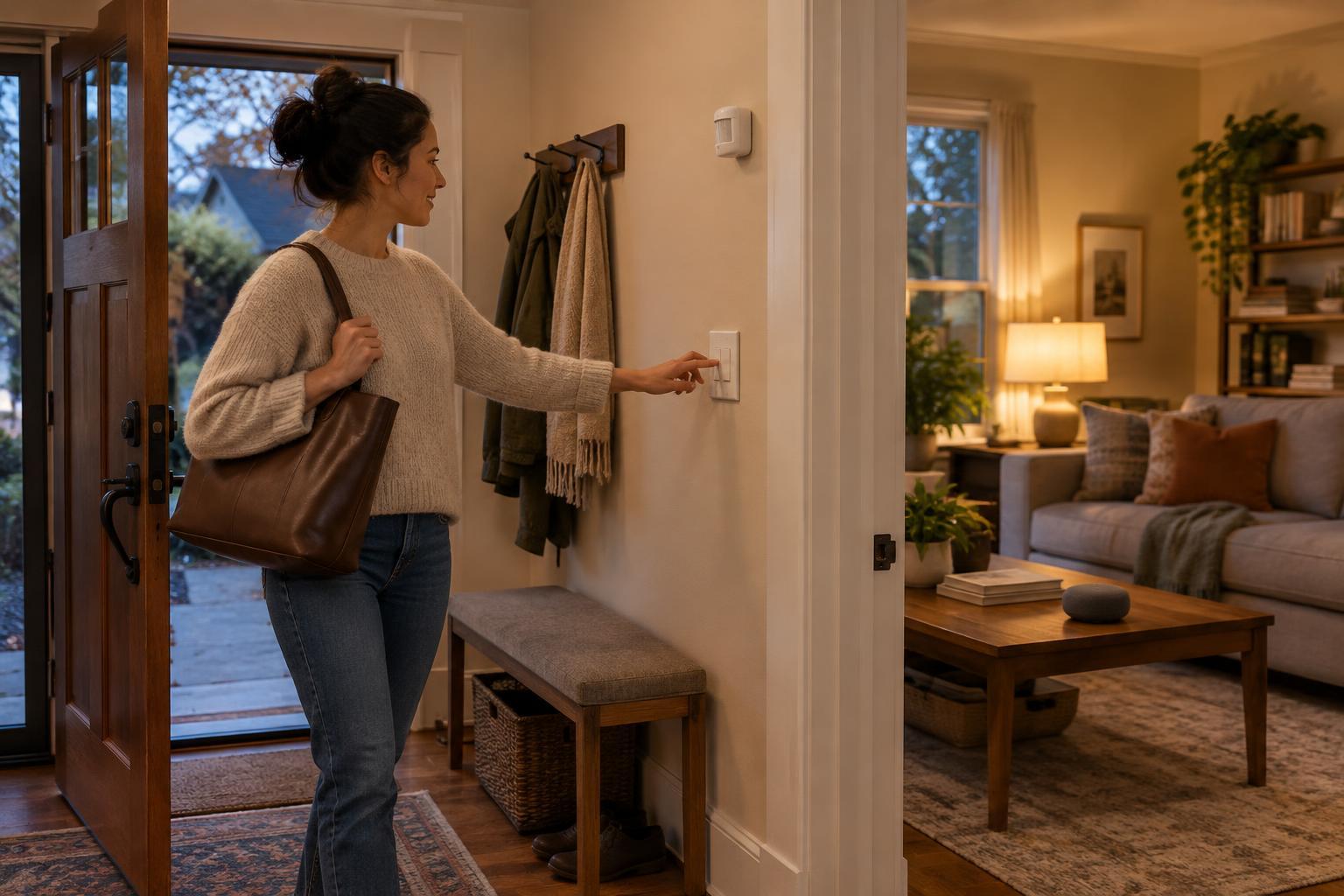
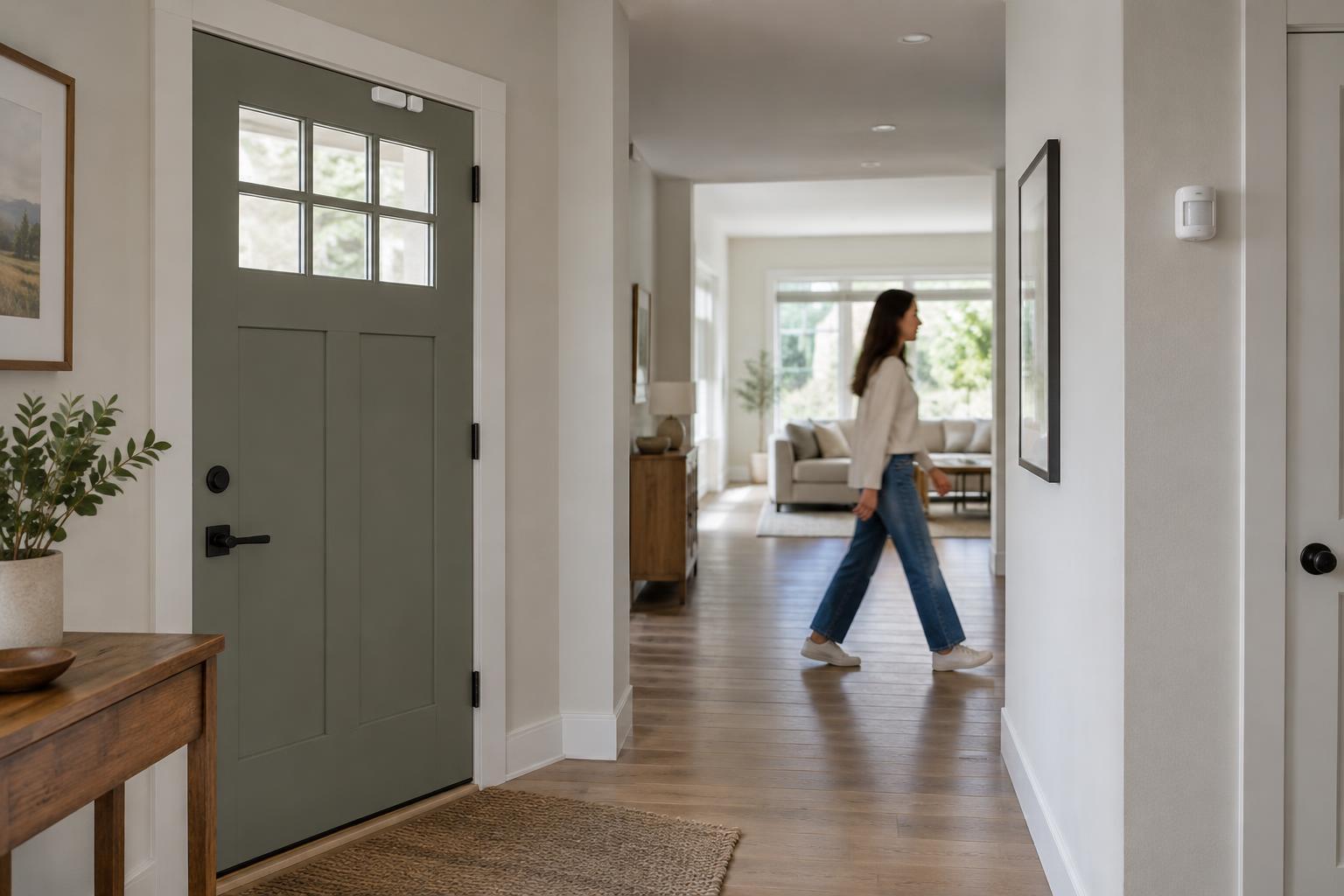
Many home motion sensors use passive infrared detection, which responds to changes in heat across its field of view. They generally work best when a person moves across that view rather than straight toward the sensor. A position near a room corner or beside an entrance may give more useful coverage than one aimed directly down a narrow approach. Check the device’s stated coverage and mounting guidance, since sensing patterns vary.
Keep furniture, plants and open doors from blocking the area you care about. If the automation is for a stair light, aim to detect someone before they reach the first step, not halfway up. In a room with several entrances, walk each route before settling on a location. One sensor may not cover every path without also detecting movement in an adjacent space.
Avoid aiming the sensor at places that can produce unwanted triggers or inconsistent readings, such as heating vents, radiators or a window with strong direct sunlight. Pets may also trigger a sensor, depending on its design, mounting position and the animal’s movement. Treat any “pet-friendly” feature as something to test in your home rather than a guarantee.
Align contact sensors with the way the opening moves
A contact sensor usually has two parts: a sensor body and a magnet. Mount one on the fixed frame and the other on the moving door, window or lid, following the maker’s alignment marks and permitted gap. They should sit close together when closed and separate clearly when opened. A location near the top of a door can keep the parts out of the way, provided the door does not shift enough to break alignment.
Check the opening through its full range of movement before attaching anything permanently. Handles, trim, weatherstripping and uneven frames can make an apparently convenient spot unreliable. Sliding doors and windows need particular care: choose a position where normal movement produces a definite change of state and neither part is likely to be knocked loose.
Metal frames can affect wireless performance, and some mounting surfaces make adhesive less secure. If your sensor includes a spacer or mounting option intended for these situations, use it as directed. Clean and dry the surface before applying adhesive, and allow for the possibility that a frequently used door may need a more secure mounting method.
Check the connection as well as the coverage
A sensor can be positioned perfectly for detection yet still miss automations if its wireless connection is unreliable. Pair and test it near the proposed mounting spot, especially at the edge of the home, behind thick walls or on a metal-framed opening. If your system uses a hub or compatible repeating devices, their placement may matter as much as the sensor’s. Do not assume that a nearby device extends the network unless the system supports that behavior.
Plan for ordinary maintenance too. Leave enough access to replace a battery, read a status light or reset the device without removing trim or moving heavy furniture. If an automation depends on several sensors, name each one by its actual location in the app so a missed event is easier to trace later.
Test everyday use before trusting the automation
Use temporary mounting where possible, then test at different times and from every normal approach. For motion sensors, walk at an ordinary pace, pause where someone might sit and check whether nearby activity causes unwanted triggers. For contact sensors, open and close the door slowly and firmly, then confirm that the reported state matches its physical position each time.
Adjust the automation separately from the sensor if detection is sound but the result feels wrong. A short delay can prevent lights from switching off during a brief pause; a longer delay may suit a pantry door left open reminder. Check what happens when a battery runs low or a connection drops. For important lighting, keep a practical manual control available. Smart sensors can make daily routines smoother, but testing and a sensible fallback are more dependable than placement alone.