Start with the room, not the TV aisle
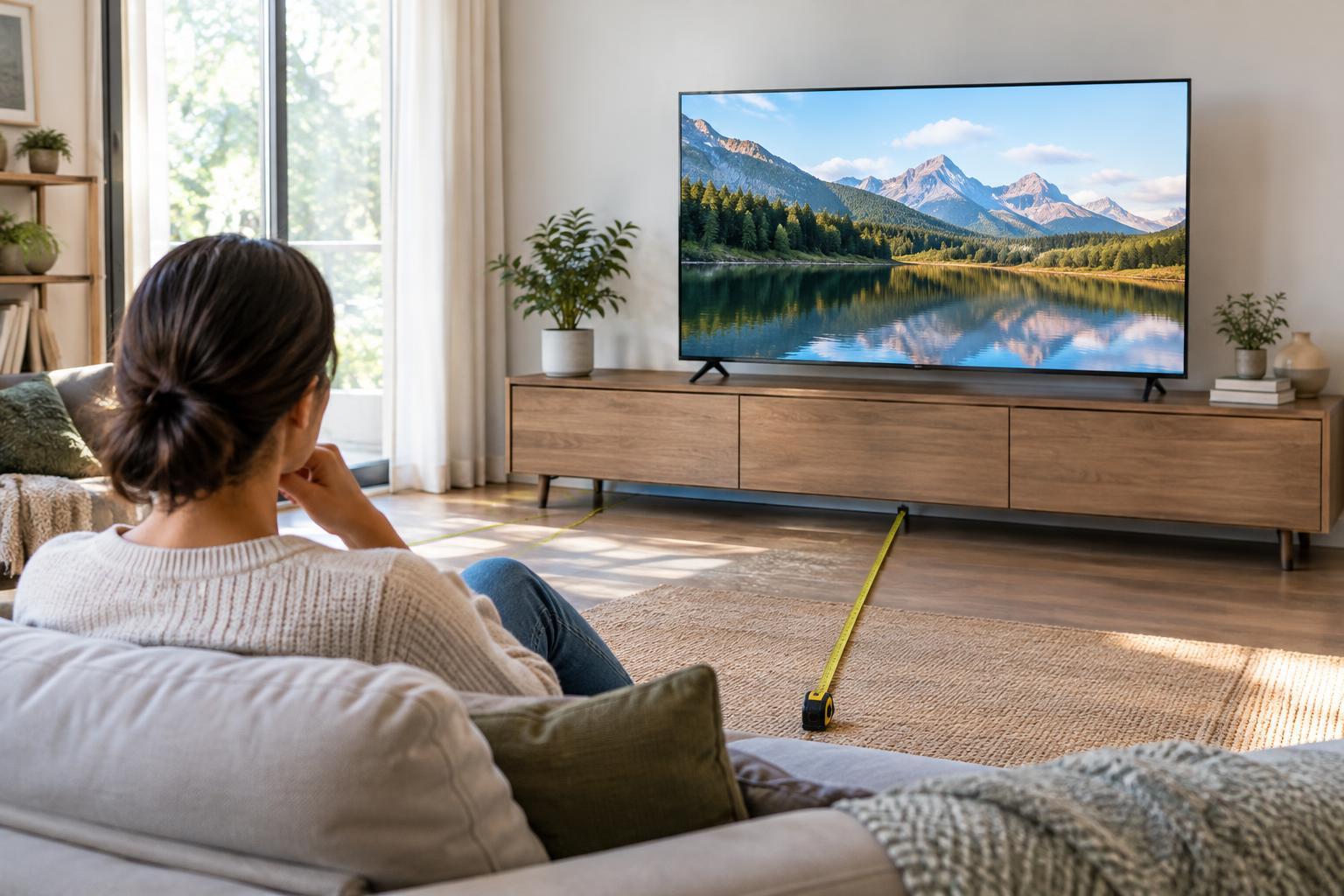
Before comparing models, note where the TV will sit, where people usually watch, and how much daylight reaches the screen. Measure from the seating position to the planned screen location. Then check the available width and height on a wall or stand, leaving space for ventilation, cables and any soundbar. A TV’s advertised size is its diagonal screen measurement, not its width; the frame and feet add to its overall dimensions.
Think about what you watch most. Films in a dim room can make deep blacks and a large screen especially appealing. Daytime television in a bright room may put more value on a screen that stays easy to see through reflections. Sports and games can benefit from responsive motion handling, but those features do not compensate for a screen that is awkwardly placed or too large for the furniture.
Find a screen size that feels comfortable
Viewing-distance rules are starting points, not requirements. For a 4K TV used for mixed viewing, you might begin by considering a distance of roughly 1.2 to 2 times the screen’s diagonal. That puts a 55-inch screen at about 5½ to 9 feet away and a 65-inch screen at about 6½ to 11 feet. Sitting nearer can make films and games feel more immersive; sitting farther back may suit casual viewing or a room where people watch from several seats.
Picture the screen from your actual chair before buying. If you frequently read subtitles, play games with small on-screen text, or want a cinematic feel, a larger size may help. If you mainly watch news while moving around the room, the largest model that fits may offer little benefit. Also consider viewing height: mounting a screen so high that you must tilt your head up for long periods can be uncomfortable. Check the complete TV dimensions, including its stand, rather than relying on the diagonal alone.
Understand OLED, LED LCD and mini-LED
Most TV choices fall into two broad display families. OLED pixels produce their own light and can switch off individually, allowing very dark blacks and strong contrast without a separate backlight. LED LCD TVs use a backlight behind a liquid-crystal panel. Their picture quality varies widely with the panel, backlight design and image processing, so the label alone does not tell you how a particular model will look.
Mini-LED is a type of LCD backlight that uses many small LEDs, often controlled in groups called dimming zones. It can improve contrast compared with simpler backlights, although bright objects against dark backgrounds may show a glow known as blooming. QLED generally describes an LCD TV that uses quantum dots to help produce color; it is not the same display technology as OLED. A bright LCD may be a practical choice for a sunny room, while OLED may appeal more to viewers who prioritize dark-room contrast. Neither is automatically best for every home.
If a screen will show the same static graphics for very long stretches, consider that in your OLED decision and review the manufacturer’s care guidance. For ordinary varied viewing, weigh that concern alongside price, brightness and picture preferences rather than treating one technology label as the whole buying decision.
Read specifications in context
At common living-room sizes, 4K resolution is a sensible specification to look for, but resolution alone cannot guarantee a good picture. Contrast, reflection handling and the quality of lower-resolution content can be more noticeable in everyday use. HDR support is worth checking, yet two TVs that both advertise HDR can differ substantially in how they display bright highlights and shadow detail. When comparing published information, look for explanations of picture performance rather than counting logos.
If you play console games, confirm the features you will actually use: a native 120 Hz panel, suitable HDMI inputs, variable refresh rate and automatic low-latency mode may matter more than vague motion-rate claims. Count the ports needed for consoles, a streaming device and audio equipment. For a soundbar or receiver, check audio return channel compatibility, including eARC if your setup requires it. Built-in streaming software matters too, but an external streaming device can be easier to replace later than the TV.
Make the final comparison practical
Shortlist TVs that physically fit your space and budget, then compare them within the same screen size. A smaller model with better reflection handling or contrast may suit your room better than a larger model chosen on price alone. Check the stand’s footprint, wall-mount compatibility, remote layout, accessibility options and return policy before ordering.
Finally, separate a feature-based comparison from a firsthand review. A specification sheet can confirm dimensions and supported inputs, but it cannot tell you exactly how distracting reflections will be in your room or whether you like a model’s interface. If you can view a TV in person, treat the showroom as a chance to inspect its menus and design, not as a perfect simulation of home lighting. Choose the best fit for your seating, habits and setup—not simply the longest feature list.