Start with the feel under your fingers
A keyboard can look ideal on a product page and still feel wrong after an hour of typing. The switch design is a useful place to start, but it is not a complete description of the experience. Key shape, travel distance, spring or dome resistance, and the firmness of the keyboard frame all affect how each press feels.
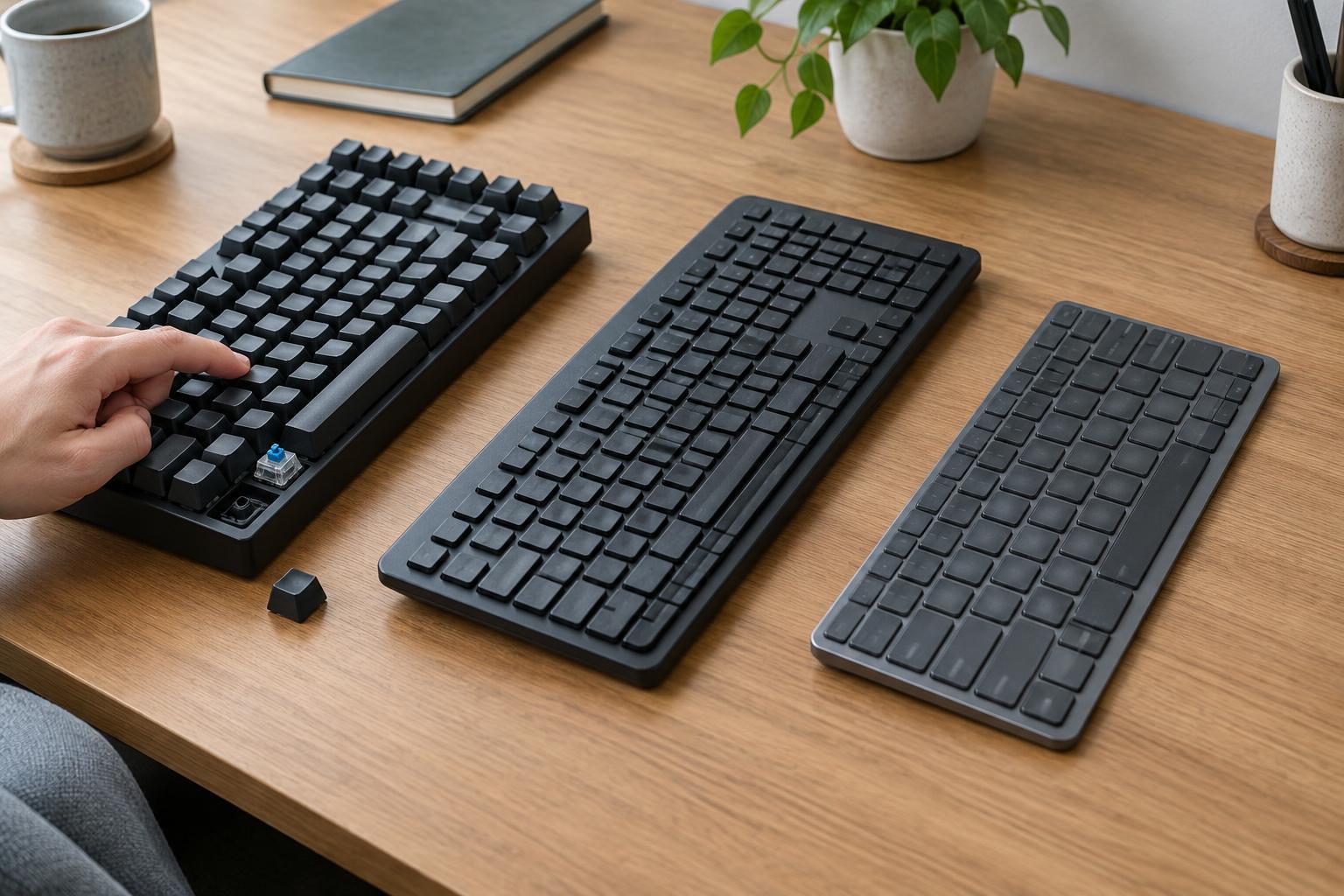
Mechanical keyboards use an individual switch mechanism for each key. Many offer a more distinct press and a longer key travel than slim laptop-style boards, although switches vary widely. A linear switch moves without a deliberate bump; a tactile switch provides one; and a clicky switch adds an audible click. Those labels describe the switch, not whether you will personally find it comfortable or accurate.
A conventional membrane keyboard typically uses a flexible layer and rubber domes to register presses. It often feels softer than a mechanical board, with less clearly defined feedback, but designs differ. Scissor-switch keyboards use a stabilizing scissor mechanism beneath each key, usually paired with a rubber dome. They tend to have short travel and a low profile, similar to many laptop keyboards. That overlap matters: “scissor-switch” and “membrane” are not always mutually exclusive categories.
Judge noise by the whole keyboard, not the label
For a shared desk or a quiet room, the sound of a keyboard may matter as much as its feel. Clicky mechanical switches are designed to make a noticeable sound. Linear and tactile mechanical switches can be quieter, but the keycaps may still make noise when they strike the board or return upward. A hollow case or a hard desktop can make those sounds more prominent.
Membrane and scissor-switch boards often avoid the deliberate click of a clicky mechanical switch. That does not make every model silent: firm typing can still produce tapping, rattling or a sound from the space bar and other large keys. If low noise is a priority, look for descriptions of the entire keyboard and its larger keys rather than relying on the switch name alone.
Sound examples can help narrow a shortlist, but a recording may not match what you hear at your own desk. If possible, try the keyboard on a surface like the one you use. A desk mat may soften some transmitted sound, though it will not turn a loud switch into a silent one.
Choose the layout separately from the switch
Switch type does not determine how many keys a keyboard has. Full-size boards include a number pad, which can be convenient for frequent numeric entry but takes up more desk space. Tenkeyless boards keep the main typing area and navigation keys while dropping the number pad. Smaller layouts save more space, often by moving functions to key combinations. Check the actual key diagram: two boards with the same advertised size may place the arrow, Delete and function keys differently.
Scissor-switch boards are commonly sold in slim layouts, while mechanical keyboards are available in many sizes. Membrane models also come in a range of layouts. These are shopping patterns, not rules. If you often use shortcuts, spreadsheets or dedicated media controls, decide which keys must be immediately available before deciding which switch you prefer.
Also check the physical arrangement of keys. A compressed right Shift key, unusually placed punctuation or closely packed arrow keys can interrupt familiar typing habits. For a wireless keyboard used with more than one device, confirm how device switching works and whether the printed key labels suit your computer.
Make a shortlist based on your daily use
If you like a pronounced, customizable typing feel, explore mechanical boards and pay attention to the specific switch option. If you want a familiar laptop-like transition, a scissor-switch board may be an easier starting point. If you need a straightforward keyboard and are flexible about feedback, include membrane models in your shortlist. None of these choices guarantees a particular level of comfort, noise or quality.
Compare details that affect daily ownership, too. Consider the height of the front edge, whether the board moves on your desk, how easily you can clean around the keys, and whether the connection and cable placement suit your setup. Replaceable keycaps or switches may appeal to someone who wants to change a mechanical board over time, but those features vary by model. A simpler keyboard may be a better fit if you do not plan to modify it.
When you can, type several sentences on a candidate rather than pressing one key repeatedly. Test the space bar, arrow keys and shortcuts you use most. The best choice is the keyboard whose feel, sound and layout work together for your tasks—not the one with the most appealing switch label.