Start with the card slot, not the speed claim
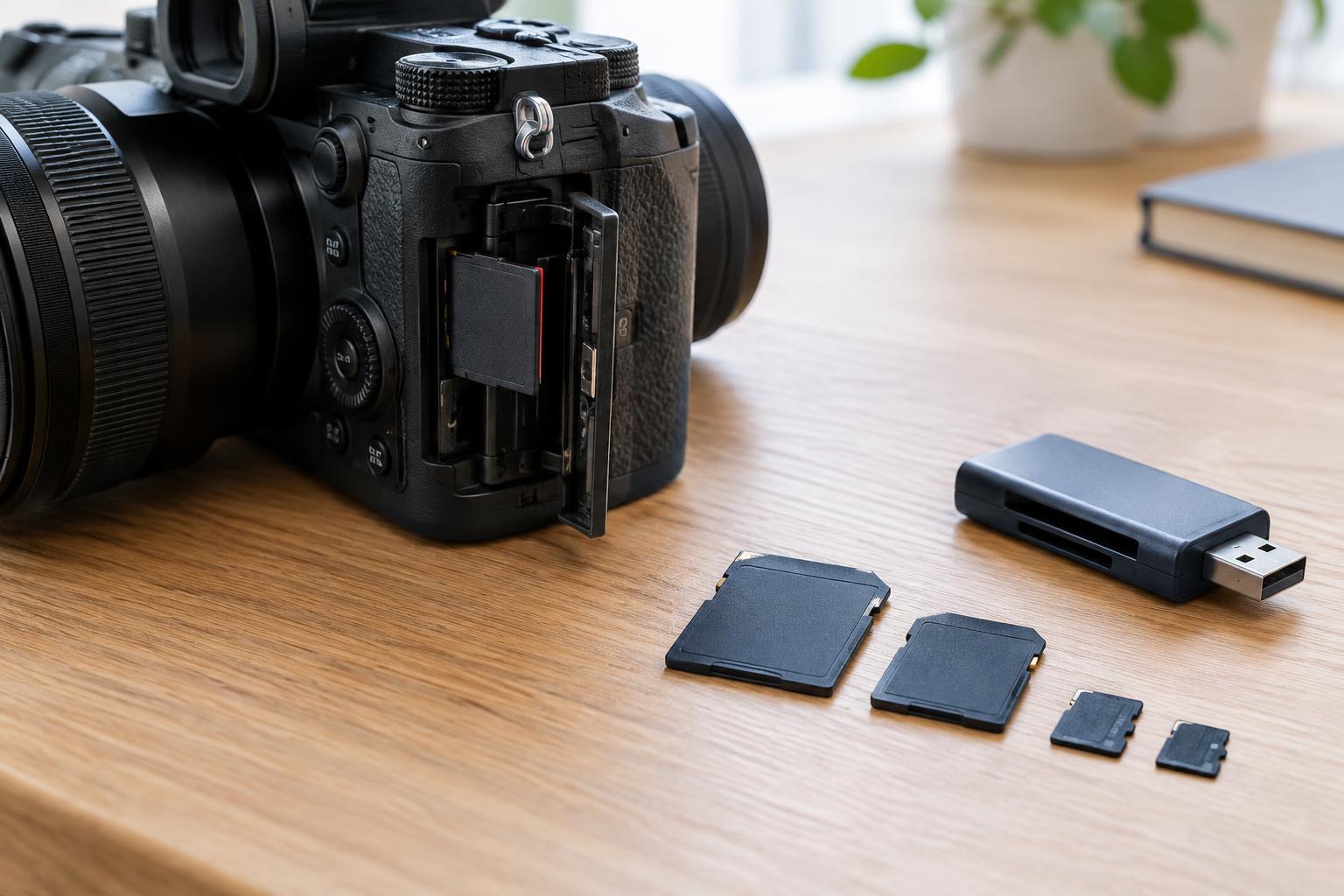
Before comparing ratings, check your camera’s manual or card-slot label for the supported card format. SD and microSD are different physical sizes; a microSD card can fit an SD slot with an adapter, but the adapter does not improve its speed or guarantee that the camera supports it. Some cameras use CFexpress or other formats instead of, or alongside, SD. These formats are not interchangeable simply because their advertised speeds look similar.
For SD cards, capacity also affects compatibility. SDHC cards generally cover 4 GB through 32 GB, while SDXC cards start at 64 GB. An older device that supports SDHC may not support SDXC, even though both cards fit the same slot. Look for your camera’s supported formats, maximum capacities and any requirements for particular recording modes. If the manual recommends formatting a compatible card in the camera, do that after backing up anything you need to keep.
Choose capacity around your shooting habits
Capacity tells you how much data a card can hold, not how quickly it can record it. The space you need depends on file type, image resolution, burst length and video settings. RAW photos generally take more room than JPEGs, and higher-quality video settings can fill a card quickly. Your camera’s remaining-shot or recording-time display can provide a useful estimate once your usual settings are selected, though actual file sizes can vary.
A large card reduces how often you need to swap cards, which can be convenient for long sessions. Several smaller cards can make it easier to separate projects and limit how much material is on any one card if it is lost or fails. Neither approach replaces a backup. Choose a capacity that lets you finish a typical shoot with some room to spare, then copy important files to another location as soon as practical.
Read write-speed ratings for video
For recording, sustained write speed matters more than a card’s highest advertised transfer number. On SD cards, a Video Speed Class marking such as V30 or V60 indicates a minimum sustained write speed of 30 MB/s or 60 MB/s under the standard’s specified conditions. You may also see U1 or U3, which indicate minimum write speeds of 10 MB/s or 30 MB/s. A higher class is useful only if it meets a need your camera’s recording mode actually has.
Check the camera manual for the card rating required by the video mode you intend to use. If the camera lists a video bitrate in Mb/s, note the lowercase b: it means megabits per second, while card speeds are commonly shown in MB/s, or megabytes per second. Eight bits make one byte, but choosing a card by simple division alone leaves no margin for variations and overhead. The manufacturer’s card requirement is the better starting point.
Separate bus ratings from advertised transfer speeds
An SD card may also say UHS-I or UHS-II. This describes the card’s interface, not a promise that every camera will record at the card’s maximum speed. A UHS-II card has an extra row of contacts and needs a compatible camera or reader to take advantage of that interface. In a device without UHS-II support, it may still work, but you should not expect UHS-II transfer speeds.
Prominent numbers on packaging often describe a card’s maximum read speed. That can matter when copying files to a computer with a suitable reader, but it does not tell you the card’s sustained write speed during recording. Some cards also advertise a maximum write speed, which is different from a minimum speed-class rating. When comparing cards, identify which number is which and check whether your camera or reader can use the faster interface.
Make the final choice and care for the card
A practical shortlist begins with cards your camera explicitly supports. From there, choose enough capacity for your sessions and a write-speed class that meets the requirements of your most demanding photo or video mode. Fast burst shooting may also benefit from a faster card, but the camera’s own buffer and card interface affect how quickly it clears. Paying for a much faster card will not necessarily make the camera shoot faster.
Buy from a seller you trust, since a misleading or faulty card can put files at risk. Before an important shoot, format the card in the camera and try your intended settings to confirm that recording works as expected. Avoid removing a card while the camera is writing, and wait until files are safely copied and checked before reusing it. The right card is one that fits the device, meets its recording requirements and supports a manageable backup routine.