Start with your printing habits
Before comparing printers, picture a typical month of printing. Are most pages black-and-white forms and shipping labels, or do you regularly make color handouts, graphics and photos? Do you print in batches every week, or only when a document cannot stay digital? The answers matter more than a printer’s headline speed or purchase price.
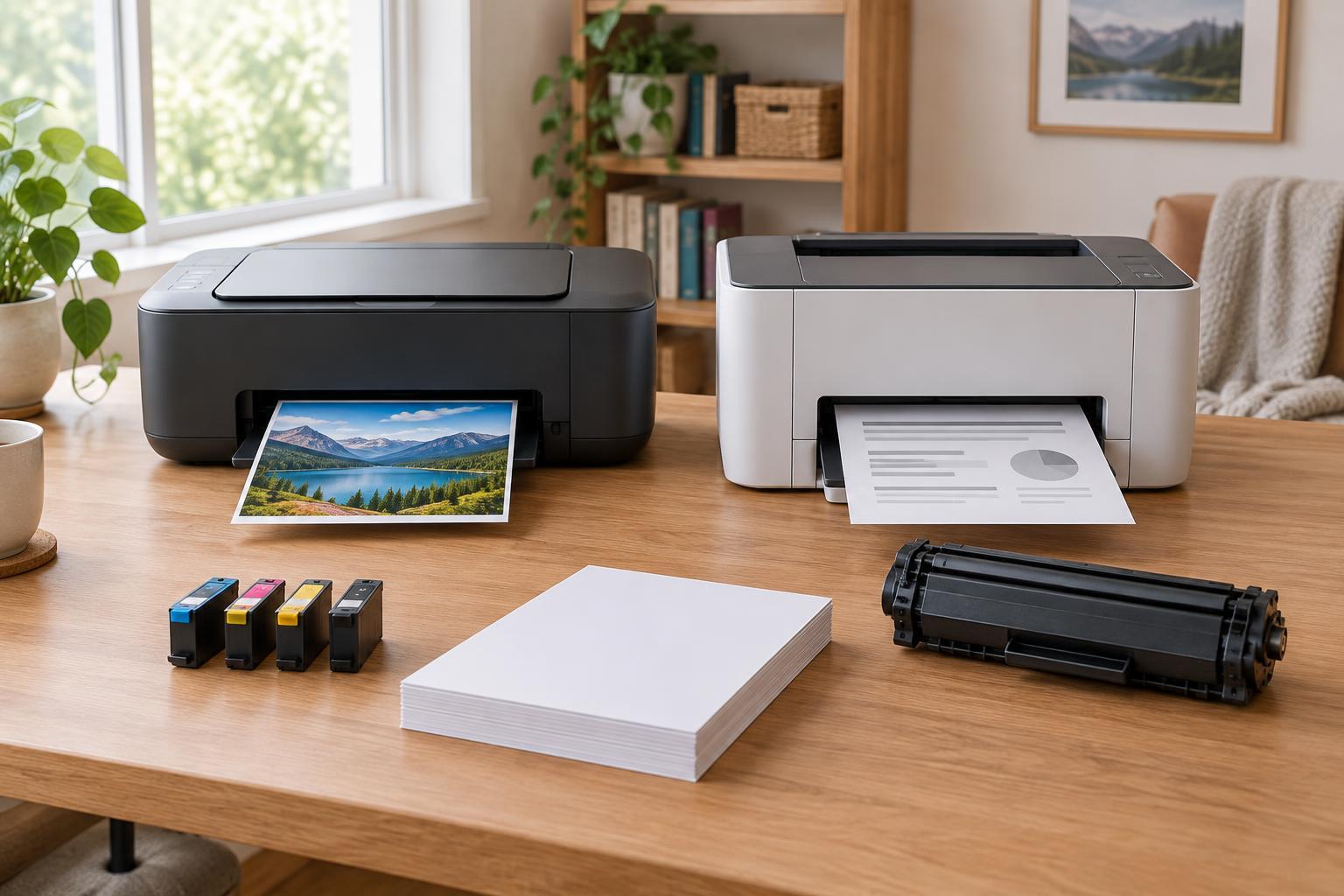
Inkjet printers place liquid ink on paper. They are a flexible choice when color is important, especially if you want to print photos on suitable paper. Laser printers use toner and are often a practical fit for crisp text and recurring document jobs. Neither technology is automatically cheaper: the better choice depends on the specific printer, its supplies and how you use it.
If you rarely print, pay particular attention to upkeep. Some inkjet printers need occasional use or maintenance to keep nozzles working well, and maintenance can consume ink. Toner does not present the same nozzle-clogging concern during long idle periods. That can make a laser printer appealing for infrequent document printing, though its higher upfront price may still be hard to justify.
Compare the cost of the printer and its supplies
A low sticker price can hide expensive replacement cartridges. Before buying, find the exact ink or toner products a printer accepts, including any higher-yield options. Note whether a color model uses separate color supplies or a combined cartridge; with a combined cartridge, you may need to replace the whole unit when one color runs out. Check the cost of any other replaceable parts listed for the model, such as a drum or maintenance box.
To make a rough cost-per-page comparison, divide the price of a replacement supply by its stated page yield. Do this separately for black and color supplies, using the same type of yield figure for each model. Published yields are comparison tools, not promises: pages with dense graphics or photos can use substantially more ink or toner than plain text. Also check what comes in the box, since included supplies may have a different stated yield from regular replacements.
For a useful ownership estimate, add the printer price to the likely cost of supplies over the period you expect to keep it. This does not need to be precise. Even a simple comparison can show whether a cheaper printer’s replacement cartridges are likely to erase the initial saving. Refillable-tank inkjets deserve a look if you print enough to benefit from their bottled ink, but include their higher purchase price and maintenance needs in the comparison.
Match print quality to the job
For letters, worksheets and other text-heavy pages, a monochrome laser printer may be all you need. It avoids paying for color capability you seldom use. If you make color charts or presentation handouts, compare color inkjet and color laser models using the kinds of pages you expect to print. Both can handle everyday color documents, but their results and running costs vary by model.
If photographs are a priority, look closely at inkjet models intended for photo printing and factor photo paper into the budget. A general-purpose color printer is not necessarily a good photo printer. Conversely, buying a photo-focused device for mostly black text can mean paying for capabilities and supplies that see little use. When possible, examine sample prints for the type of work you care about rather than relying on a resolution number alone.
Think about paper, too. Check supported sizes, weights and media types if you print envelopes, labels or heavier sheets. Use media approved for the printer technology and follow the model’s loading guidance; paper designed for one type of printer is not automatically suitable for the other.
Choose features you will actually use
Automatic two-sided printing can save paper and effort, while an automatic document feeder is useful if you scan multi-page documents. If you need only occasional copies, a basic all-in-one may be enough; if you never scan, a print-only model may be simpler. Check whether two-sided scanning is supported if that task matters to you, rather than assuming it comes with two-sided printing.
Consider where the printer will live. Compare its dimensions with the space available, allowing room to load paper and open covers. Check how it connects to your devices: USB can be straightforward for one nearby computer, while network printing is convenient for a household. If you rely on phones or tablets, verify that the printer supports a printing method compatible with them. Look at paper-tray capacity as well if you regularly print long batches.
Make the final decision with a short checklist
Choose the category that fits your main job first: monochrome laser for primarily text documents, a color-capable printer for regular color materials, or a suitable inkjet if photos are central. Then compare specific models on total expected cost, not just price or technology. Your printing volume, time between jobs and tolerance for maintenance may change which option comes out ahead.
Before checkout, confirm the exact replacement supplies, their yields, the included supply yield, supported paper and the features you need. A printer that fits your real workload and is affordable to replenish is a better buy than one with impressive specifications you will rarely use.