Start with the reason for the camera
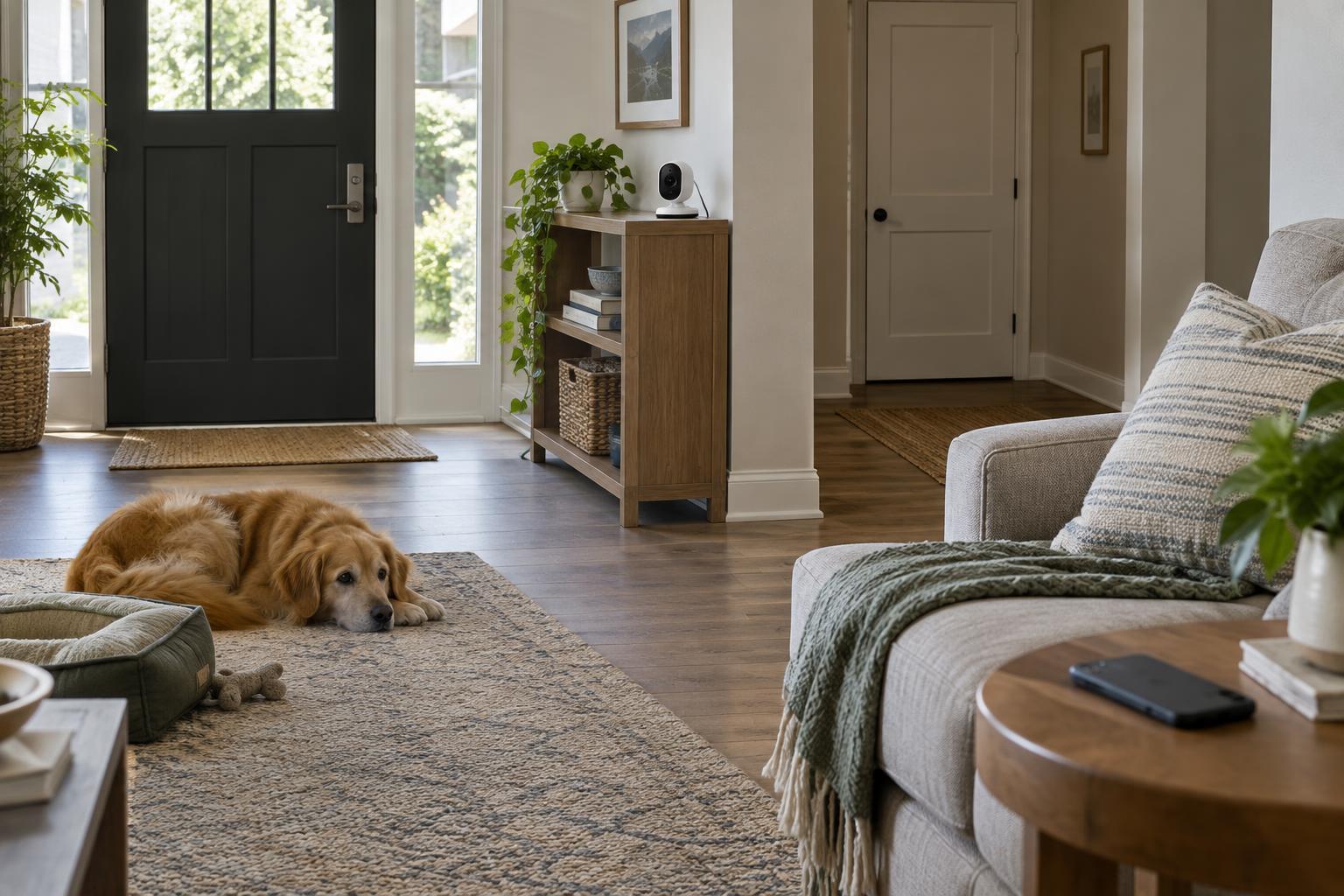
Before choosing a location or a model, decide what question the camera should answer. Do you want to know whether a package was brought inside, check on a pet while you are out, or see who entered a shared hallway? A clear purpose makes it easier to limit the camera’s view and avoid collecting footage you do not need. It also helps you decide whether live viewing is enough or whether you need saved recordings.
An indoor camera is a supplement to basic home precautions, not a substitute for locks, smoke alarms or an agreed household plan. It may miss activity outside its frame, and its alerts can depend on power, Wi-Fi and notification settings. If your goal is only to know when a door opens, a contact sensor may be a less intrusive fit than a camera.
Place it for useful coverage, not maximum coverage
Aim a camera at a defined area, such as an entry door or a pet’s usual resting spot. Set it on a stable surface or mount it where it is unlikely to be knocked over. Check the view in the app during both daylight and evening conditions: bright windows can make subjects appear dark, while lamps or reflective surfaces may create glare. Keep the power cable tidy and away from places where someone might trip or a pet might chew it.
A wider field of view is not always better. Try to exclude bathrooms, bedrooms, desks with sensitive paperwork and neighboring properties visible through windows. Some cameras offer activity zones or privacy masks that can narrow what triggers an alert or appears in footage. These features vary by product, so check what they actually hide: a zone that suppresses alerts may still allow recording of the full frame. A physical shutter, when available, provides a clearer way to block the lens when the camera is not needed.
Match the recording method to your needs
Live view lets you look in when you choose, but it will not necessarily leave a record of what happened earlier. Continuous recording captures more context but can create a large amount of footage to manage. Motion-triggered recording uses less storage and can make clips easier to find, though it may start late, stop early or react to routine movement. Look for adjustable sensitivity and test alerts with ordinary household activity before relying on them.
Storage is another tradeoff. A camera that saves to a memory card or local hub may keep footage at home, but that device could be damaged, removed or filled. Cloud storage may make clips accessible when you are away, often with a subscription, but it means footage is handled by a provider. Check whether the features you want require a paid plan, how long clips are retained, whether old footage is overwritten and what happens if the internet connection drops. Download and deletion controls matter too.
Set household privacy rules before switching it on
Tell people who live in the home where cameras are, what they cover, whether they record audio and when they are active. Guests, housemates, caregivers and other regular visitors should not have to discover a camera by accident. Agree on camera-free spaces and times, especially in rooms used for sleep, changing or private conversations. Audio recording can capture far more than the event that prompted a clip, so consider disabling it unless it serves a specific, shared purpose.
Decide who may view live video, receive alerts, save clips or share them. Use separate accounts where the product supports them instead of passing around one login. Review access after someone moves out or no longer needs it. If household needs change, revisit the setup rather than leaving an old camera running by default. Privacy works best as an ongoing agreement, not a one-time setting.
Maintain the setup after installation
A short setup check can prevent common frustrations. Use a strong, unique account password, enable multifactor authentication if available and install camera and app updates. Review the device’s permissions and account activity where those controls exist. If a camera offers an indicator light, learn what it means rather than assuming it always shows when footage is being saved. Give household members a simple way to pause the camera when appropriate.
Every so often, confirm that the camera still points at the intended area and that alerts, recording and deletion settings behave as expected. Test a clip retrieval before you need one; a camera that appears connected may not be saving footage as you assumed. Keep only footage you have a reason to retain, and remove old clips and unused account access. The most useful indoor setup is one that answers a specific need without turning everyday life at home into constant observation.