Start with the room, not the projector
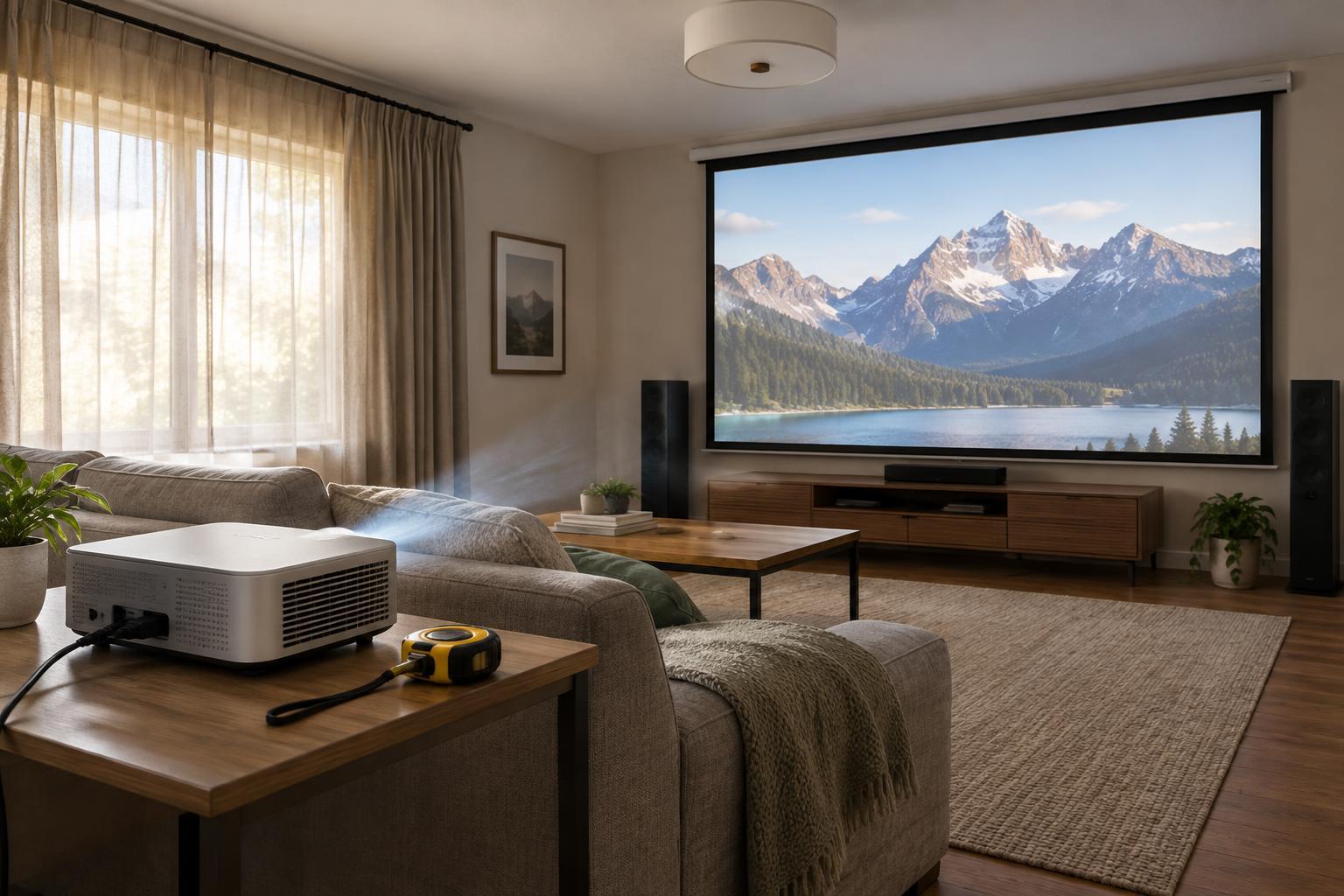
Before comparing models, decide where you will watch, when you will watch and how large an image you want. A projector in a dark room has a different job from one used in a bright living room. Even a bright projector can look washed out when daylight falls across the image, so curtains or blinds may matter as much as a specification on the box.
Measure the wall or screen area you can use, the likely projector position and the distance between them. Check for ceiling lights, furniture and walking paths. If the projector will sit on a coffee table, consider whether people will block its beam. If you plan to mount it, think about power and cable routes before choosing a model.
Compare brightness claims carefully
Projector brightness is often expressed in lumens, but numbers are most useful when they follow the same measurement standard. Look for a clearly stated standard, such as ANSI lumens or ISO lumens, and avoid treating an unspecified “lumens” figure as directly comparable. Brightness alone does not describe picture quality: contrast, color performance and the viewing environment also shape what you see.
A larger image spreads the projector’s light over more area, making it appear less bright. For daytime viewing, plan to control room light and consider whether a smaller image would work. In a room you can darken, you may have more flexibility to prioritize other features. Remember that the brightest picture mode is not always the one you will prefer for watching films; color and noise can change between modes.
If you are considering a screen, its material and gain affect how light reaches viewers. A plain wall may be convenient, but uneven texture or a colored surface can affect the image. Treat screen-related brightness claims as part of a complete room plan rather than a substitute for managing light.
Use throw distance to check whether it fits
Throw distance is the distance from the projector lens to the image surface. A projector’s throw ratio relates that distance to image width: divide the lens-to-screen distance by the desired image width to estimate the ratio you need. For example, a lens placed 3 metres from the wall to make an image 2 metres wide calls for a throw ratio of about 1.5. Check the manufacturer’s projection calculator or size chart for the exact model, especially if it has a zoom range.
Standard-throw, short-throw and ultra-short-throw models suit different placements, but the labels do not guarantee a particular image size in your room. Ultra-short-throw projectors sit near the wall, yet they still need suitable furniture and careful alignment. A ceiling-mounted projector needs enough space behind viewers and a clear path for cables.
Also check lens shift, zoom and keystone correction. Lens shift and optical zoom can offer placement flexibility without relying on digital image correction. Keystone can straighten an image when the projector is off-axis, but it is better to position the projector properly when possible. Confirm both the horizontal and vertical placement limits before buying.
Budget for the complete setup
The projector may be only part of the purchase. A screen, mount or stand, suitable cables, streaming device and audio equipment can all add to the total. Built-in speakers may be enough for casual use, but check audio outputs and connections if you want to use a soundbar or receiver. For a ceiling installation, account for a safe mounting point, power access and a tidy cable route.
Consider ongoing costs and convenience as well. Some lamp-based projectors may eventually need a replacement lamp; LED and laser models have different light sources, but their lifespan claims are still estimates rather than guarantees. Check the model’s maintenance requirements, fan noise and filter guidance. If you will move the projector often, setup time and portability may be worth more to you than a permanent mount.
Make a shortlist from your measurements
Write down your intended image width, available lens-to-wall distance, typical light conditions and maximum all-in budget. Eliminate models whose published projection range does not fit your measurements. Then compare brightness using clearly identified specifications, followed by the connections, placement controls, noise and audio options you need.
Finally, read product specifications and return terms with your own room in mind. A feature-based comparison can narrow the choices, but specifications cannot promise how an image will look on your wall under your lighting. Planning the space and the full setup first gives you a better basis for choosing than shopping by brightness or resolution alone.